You have probably been there: the composition is perfect, the lighting has exactly the cinematic gloom you requested, and the color palette is on-brand. But the subject is wearing a hat that looks like it belongs in a different century, or their hand is merged into a coffee cup. In the early days of generative media, your only move was to adjust the prompt and roll the dice again. More often than not, that second roll would fix the hat but destroy the lighting you spent twenty minutes perfecting.
In a professional production environment, this “all-or-nothing” approach is a liability. High-stakes marketing assets and creative pipelines cannot rely on the stochastic whims of a global prompt. To move from being a “prompter” to a “director,” you have to master regional control. This shift involves treating the initial generation as a rough cut and using tools like inpainting and selective editing as your surgical instruments.
The 95% Problem: Why Global Prompting Often Fails at the Finish Line
The fundamental frustration in AI media production is what many operators call the “95% problem.” This occurs when the model understands the core intent of the request but fails on a specific, localized detail. In a traditional photography or design workflow, you would simply mask that area and fix it. In a basic AI workflow, the temptation is to re-prompt the entire image.
Re-prompting is rarely the answer for two reasons. First, it is computationally expensive and time-consuming. Second, and more importantly, diffusion models are sensitive. Changing a single word to fix a small detail can shift the latent space enough that the entire structural integrity of the image changes. The background moves, the character’s features shift, and the “vibe” is lost.
For professionals, the goal isn’t just to get a good image; it’s to get the specific image required for the project. This is where an AI Image Editor becomes indispensable. By isolating the problem area, you tell the model: “Keep everything else exactly as it is, but rethink this specific quadrant.” This preservation of context is the difference between a hobbyist output and a production-ready asset.
The Mechanics of Precision: Regional Editing as a Directing Tool
Regional editing, often referred to as inpainting, works by masking a portion of the image and allowing the AI to re-generate only the pixels within that mask. However, the logic behind a successful edit is more complex than just drawing a circle around a mistake.
Semantic vs. Textural Editing
When you use an AI Photo Editor, you are usually performing one of two types of interventions. Semantic editing involves changing the conceptual nature of an object—for instance, changing a leather jacket into a denim one. This requires the model to understand the boundaries of the garment and how the new material should drape over the existing form.
Textural editing is more about “cleanup.” It’s fixing a warped finger, removing a stray lens flare, or sharpening a blurry eye. This requires less conceptual “imagination” from the AI and more focus on structural coherence. Understanding which type of edit you are performing helps you decide how much “denoising strength” to apply. Too much strength on a textural fix might change the subject’s entire face; too little on a semantic change will result in a weird, muddy hybrid of leather and denim.
Preserving Environmental Context
One of the biggest hurdles in regional control is lighting. If you add an object to a scene via inpainting, the AI must calculate how the existing light sources should hit that new object. If the original image has a sunset coming from the left, a poorly executed regional edit will result in an object with neutral or conflicting lighting. Professional-grade tools allow the model to “see” the surrounding pixels, using them as a reference to bake the new element into the environment naturally.
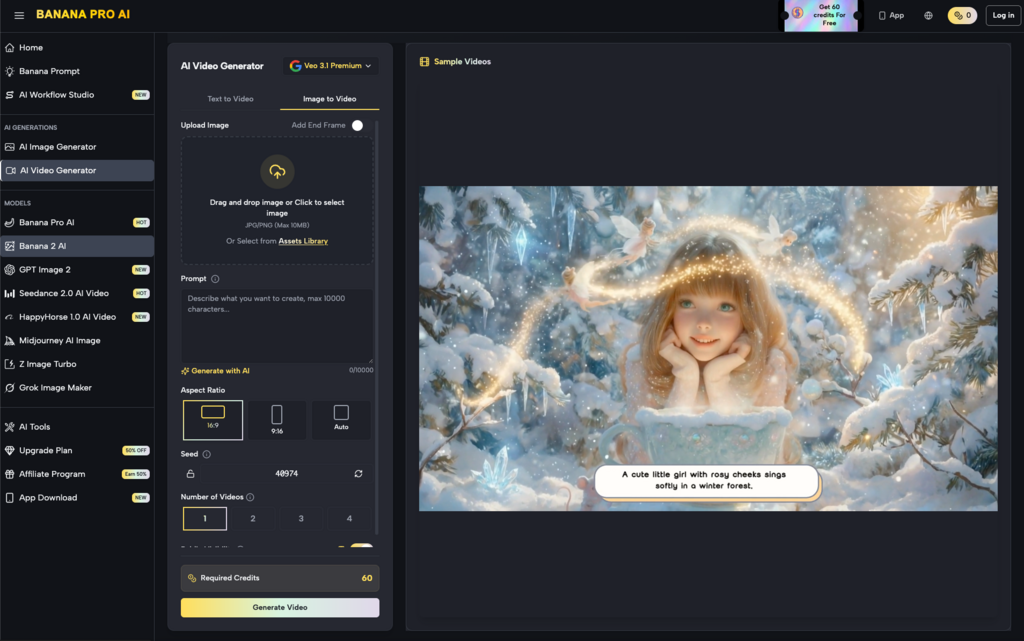
Iterative Workflows with Nano Banana and the Banana AI Ecosystem
In practice, high-fidelity production requires a tiered approach. You don’t just jump into editing; you start with a robust base. Within the Banana AI ecosystem, the workflow usually begins with a high-performance model.
Nano Banana serves as the foundational engine for these base generations. It is designed for high-fidelity outputs that provide a clean canvas. Because the base generation is high-resolution and semantically accurate, the subsequent editing steps are much easier. If the base image is a mess, inpainting will struggle to find “anchor points” for its additions.
Once a base is established in Nano Banana, the process moves into the Workflow Studio. This is where the iterative loop happens. A typical professional workflow might look like this:
- Base Generation: Use a broad prompt to establish composition and lighting.
- Regional Refinement: Use the editor to fix anatomical errors or awkward secondary objects.
- Asset Injection: Use masked inpainting to add specific brand elements (like a specific product bottle or logo) into the scene.
- Final Pass: A low-denoise global pass to “glue” the edits together, ensuring the grain and sharpness are consistent across the entire frame.
This iterative approach is significantly faster than trying to get everything right in a single prompt. It allows the creator to focus on one problem at a time, rather than fighting a multi-variable battle with the model’s random seed.
Surgical Inpainting vs. Global Regeneration: A Comparative Analysis
Efficiency in AI production isn’t just about saving time; it’s about maintaining brand and character consistency. If you are creating a series of images for a campaign, the character must look the same in every shot.
If you rely on global regeneration, you will spend hours trying to find a seed that matches your previous output. By using surgical inpainting, you can take a character you’ve already generated and simply change their environment or their pose in specific ways. You keep the “anchor points”—the face, the hair color, the eye shape—and only modify what needs to change for the new scene.
Furthermore, there is a resource cost to consider. While many casual users don’t worry about token usage, commercial teams operating at scale do. Generating 100 full-sized images to find one that doesn’t have a “hand glitch” is a waste of creative resources. Fixing that hand in 30 seconds with a targeted edit is the more sustainable path. We are seeing a clear trend where “AI-native” creators are moving away from the “prompt engineer” title and toward something more akin to a “Technical Director,” where the focus is on the pipeline of refinement rather than the initial text string.
The Edge of Capability: What Inpainting Can’t Solve (Yet)
It is important to maintain a level of skepticism about what these tools can achieve in a single click. Despite the advancements in Banana AI and similar platforms, regional editing is not a magic wand. There are specific areas where the technology still faces significant hurdles.
Global Lighting Consistency
While inpainting can reference surrounding pixels, it often struggles with complex light bounces. If you remove a large glowing object from a room, the AI can fill in the wall behind it, but it might not perfectly “undo” the colored light that the object cast onto the character’s skin. This often requires a human eye to step in and perform traditional color correction or a second, very light global AI pass to re-balance the scene.
Physics and Interaction
One of the most persistent issues is the interaction between two complex objects. If you try to inpaint a hand holding a specific tool, the AI often struggles with the “occlusion”—knowing which parts of the tool are covered by fingers and which are visible. These pixel-perfect physics interactions are still a point of uncertainty. You may find yourself needing three or four rounds of mask-and-generate to get a hand that looks natural and a grip that makes mechanical sense.
Perspective Shifts
Inpainting is essentially a 2D process trying to simulate 3D space. If you add an object to a table that has a sharp vanishing point, the AI might get the angle slightly wrong. Without a depth map or 3D structural awareness, the “seams” of an edit can become apparent to a trained eye.
At this stage of the technology’s development, the human operator’s role is to act as the final arbiter of logic. The AI provides the pixels, but the human provides the “physics check.” Knowing when to stop inpainting and move the image into a traditional software suite for a final touch-up is a hallmark of an experienced creator. We aren’t yet at the point of “one-click perfection,” and acknowledging those limits is what allows a production team to plan for them effectively.
The shift toward regional control represents the maturation of the AI media industry. We are moving past the novelty of “look what I can generate” and into the era of “look what I can build.” By treating tools like the AI Image Editor as essential parts of the stack rather than optional extras, creators can finally achieve the level of intentionality that professional work demands.