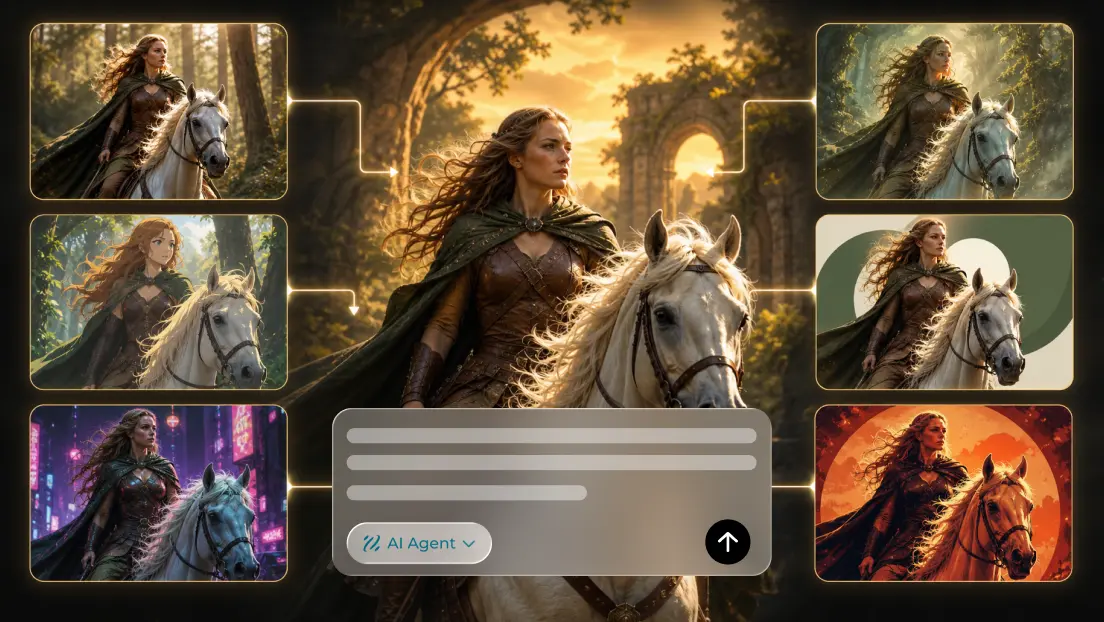
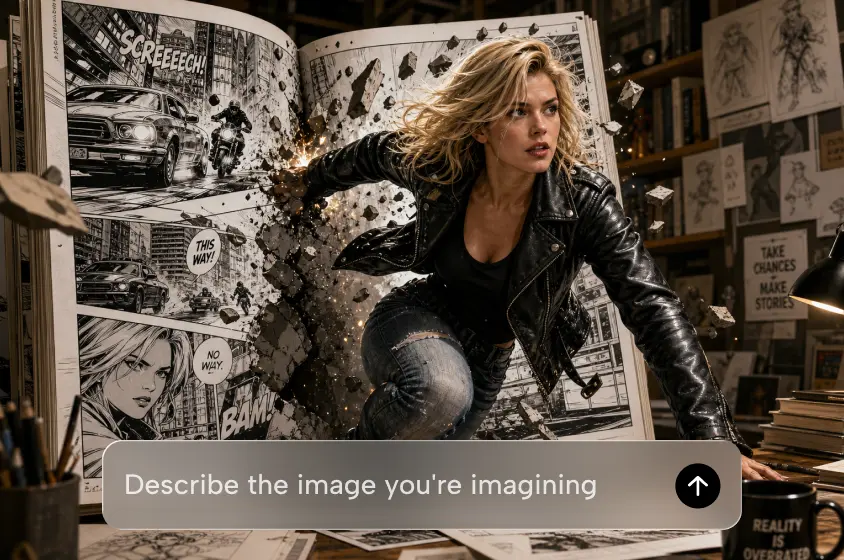
A good thumbnail will convey the topic of the video before the user reads the title or clicks the video. Important details are enhanced on busy screens by the use of clear composition, expressive imagery, and contrasting colors. Developing these visuals, however, can take some time and design expertise.
Dreamina AI makes it easy to create thumbnails with text prompts, reference images, image generation, and editing controls. Creators can experiment with different compositions, edit out distracting details, and optimize artwork for different publishing platforms. While attractive thumbnails can help showcase the content, clicks ultimately rely on relevance, interest, and quality. Clear communication, legible visuals, and honesty in representation are all the foundations of good design.
Understand the Visual Principles Behind an Effective Thumbnail
A good thumbnail sets up the visual hierarchy; the main subject of the image is clearly identifiable. Images that are smaller have strong foreground-background contrast, which helps important objects stand out. Expressive faces, familiar products, and clear actions can convey the topic of a video in a short time. Too much text, too much ornamentation, and distracting elements detract from this clarity. Thus, composition is not merely a matter of indiscriminately adding effects, but involves careful placement. A thumbnail should be interesting and not over-hype what is in the video. Truthful pictures will build proper expectations prior to viewers making a decision to watch.
Build a Thumbnail Concept Before Generating the Artwork
First, determine the primary theme of the video and the message that needs to be conveyed by the thumbnail. You can use prompts and reference images to explore concepts using Dreamina’s AI Image generator. Choose whether a face, product, character, object, or symbolic illustration is required. Intentionally place the focal point and leave the negative space for any required headline. Select an energetic, educational, mysterious, or playful mood according to the content of the video. Before you create artwork, verify the dimensions, aspect ratio, and file requirements of the target platform. With a focused concept, each visual element has a clear purpose.
Steps to Create Click-Worthy Thumbnails with Dreamina
Step 1: Sign in and describe your thumbnail idea
- First, sign up or log in to Dreamina to start designing your next eye-catching thumbnail.
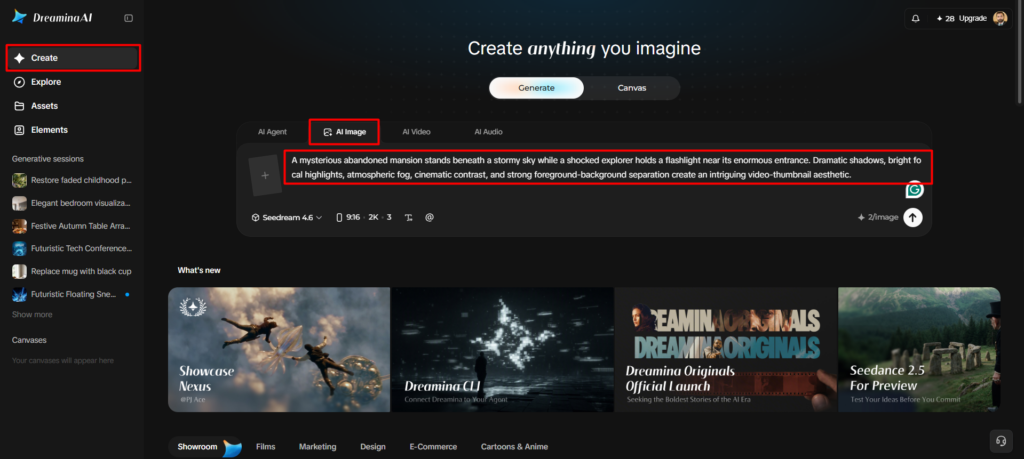
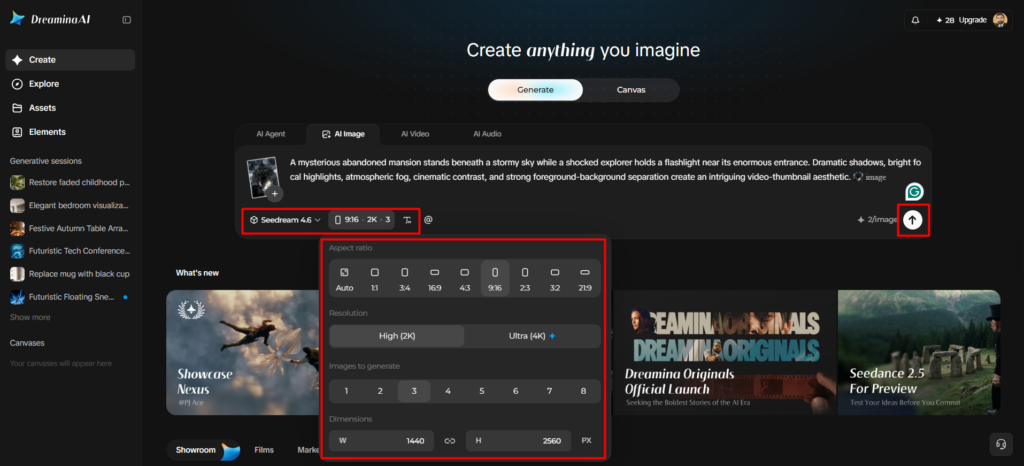
- Next, open the “Create” tab from the left menu and select the “AI Image” option.
- Then, write a detailed prompt covering your thumbnail’s elements, theme, and concept to attract viewers.
Step 2: Choose a model and set thumbnail specs
- Next, choose your image model from the options at the bottom of the dialogue box.
- Seedream, GPT Image, and Nano Banana are available, so pick the one you prefer most.
- Add a reference image to help your thumbnail look more precise and natural to viewers.
- Match your video platform by setting the “Aspect ratio” and “Resolution” tabs to custom values.
- Pick the draft quantity in “Images to generate” and set a custom size in the “Dimensions” tab.
- To add bold title text, use the “Draw text on image” tab for better clarity.
- Finally, click the “Generate” tab to begin the creation process for your new thumbnail drafts.
Step 3: Refine your thumbnail and export
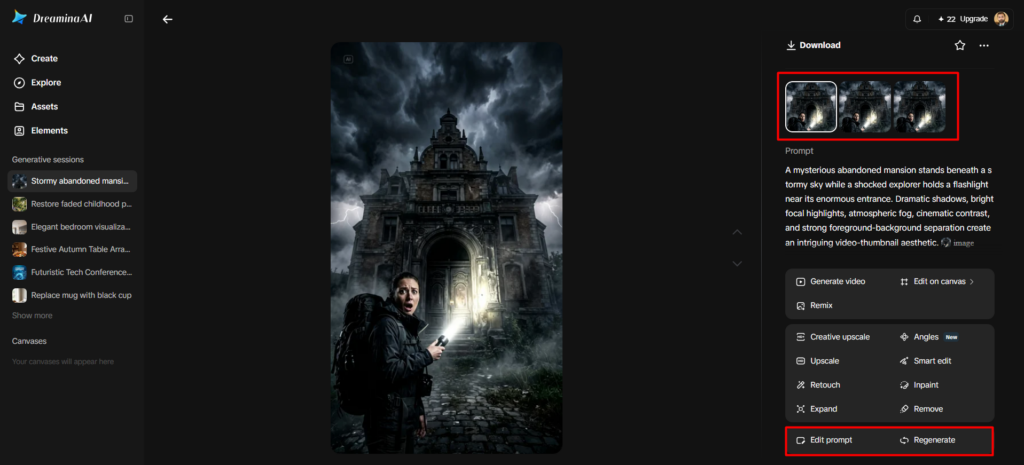
- You will receive the required number of thumbnail drafts to compare side by side easily. If the drafts miss the mark, use “Edit prompt” or “Regenerate” to refine the results.
- You can also upscale the generated thumbnail using the “Creative upscale” option for sharper text.
- Moreover, use “Retouch” to correct, clean up, or enhance details of the selected thumbnail image.
- Use “Remove” to delete anything from the thumbnail that distracts viewers from your main message. You can also stretch the canvas using the “Expand” tab to fit new platform layouts.
- Once your image is ready, use the “Generate video” tab to convert it into a video.
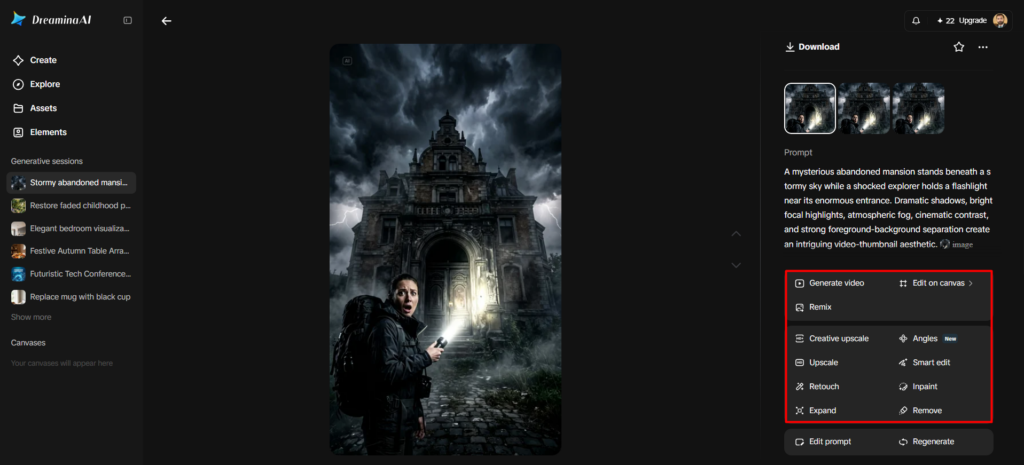
- Dreamina gives you complete freedom to edit your thumbnail design exactly the way you like.
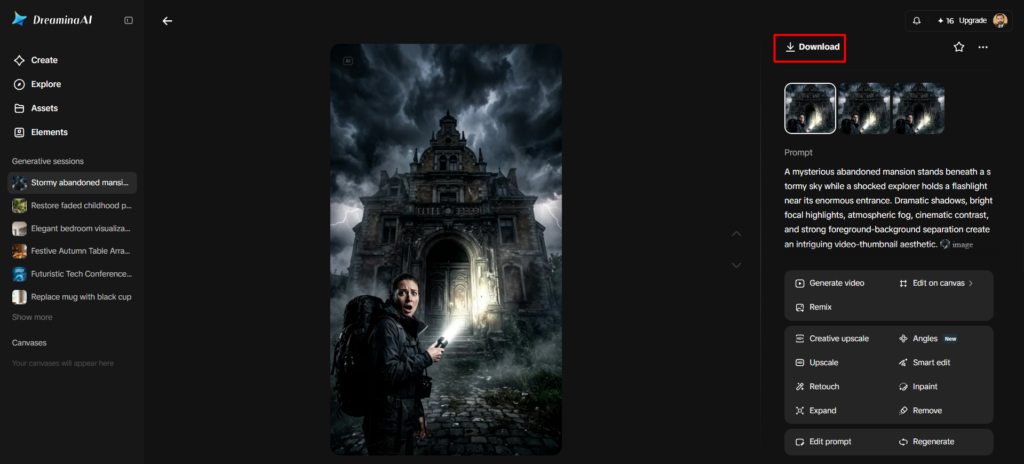
- Finally, click the “Download” tab at the top right to save the image file locally.
Six Thumbnail Design Principles Worth Applying
Use these principles to create artwork that will be clear, balanced, and recognizable.
- Instant recognition: Make the main subject easily recognized without viewers needing to look into small details.
- Use of strong contrast: Use deliberate brightness and tonal differences to separate foreground elements from backgrounds.
- Expressive focal points: Select meaningful facial expressions or recognizable objects, but don’t misrepresent the video content.
- Controlled typography: Short headlines, spelling, readability at smaller display sizes.
- Use intentional color: Choices of color that are unified and help to define the subject and distinguish key elements.
- Balanced framing: Carefully place the subject and supporting details, while leaving space for the required text.
Create Different Thumbnail Styles for Different Video Topics
Thumbnail styles should complement the topic of each video rather than have a single style. Simple diagrams, uncluttered compositions, and recognizable objects are all useful to educational explainers. Technology videos may include close-ups of the product, controlled lighting, and a futuristic background. Gaming thumbnails can include expressive characters, dramatic backgrounds, and focal points. Familiar places, depth of landscape, and unique colors of the environment help to make travel artwork possible. Finishes, textures, and attractive lighting can be highlighted with cooked thumb images. Prominent tools, completed works of art, or obvious visual transformations are good for creative tutorials. Dreamina AI will guide the exploration of these varying visual directions, using prompts and image editing.
Improve Thumbnail Composition Through Targeted AI Editing
Reference pictures can help create a starting-point composition and convey the desired direction of the picture. Retouch to fix any distracting details, and Remove to remove any background elements that are distracting from the subject. When framing feels too tight, “Expand” can provide additional canvas space for better visual balance. Recreate the art when the general composition of the artwork doesn’t convey the desired message. To make sure the typography is accurate, correct wording, spacing, and alignment using an appropriate design editor. Check all adjustments for consistency and correctness of the final design.
Prepare and Evaluate the Thumbnail Before Publishing
Look at the thumbnail as if it were at the size people will see when viewing it on their devices. Check that the headline is still legible and that the main subject is still identifiable. Inspect faces, hands, object geometry, and lettering for obvious mistakes. Check the aspect ratio, resolution, and file specifications against the current platform specifications. Once published, check out impressions, click-throughs, and key audience data. These measurements offer more substantive performance proof than looks.
Conclusion
Dreamina AI offers features to create thumbnail ideas, make art, and fine-tune visuals. Hierarchy, legible type, honesty in messaging, and correct export settings are still key. It’s not just about creating dramatic imagery, but about clearly conveying the value of a video. Use AI-generated art as a foundation, and make sure that each detail is carefully adjusted before sharing.